
Bridge4PS Platform
Bridge4PS IS THE FIRST USER-DRIVEN MOBILE COLLABORATION PLATFORM DESIGNED FOR FIRST RESPONDERS AND PUBLIC SAFETY OFFICIALS.
EXPLORE FEATURES:
- Safe and secure messaging, picture, video, and file sharing
- Optimized for use across personal and agency devices
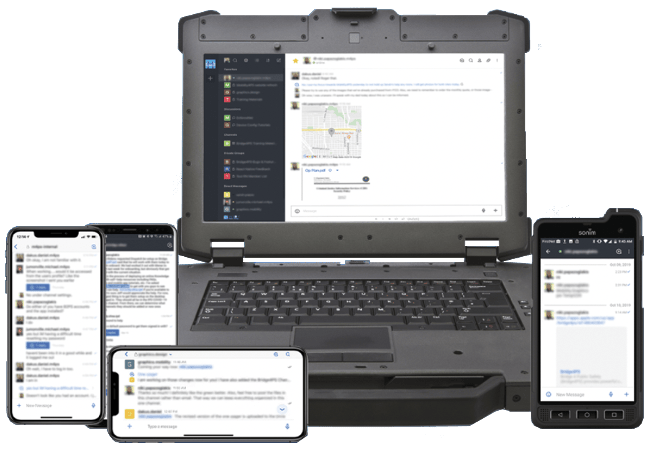
- Compatible with iOS, Android, Desktop/Mac Client & Web Browsers
- Supports simultaneous login across multiple devices
- Interoperable across agencies
- Searchable Nationwide User Directory
- Compliant Access Control
- Flexible Privacy Settings
BRIDGE4PS FEATURE LIST
Basic Bridge4PS is accessible at no cost to all authorized public safety practitioners. Pro licenses can be purchased to access a number of premium features and enhanced support. This model facilitates our commitment to building a truly sustainable and fully interoperable collaboration platform for the entire public safety community. We appreciate your support for Bridging Public Safety Communications.
| BRIDGE4PS CORE FEATURES | CONTENT MANAGEMENT | ENHANCED COLLABORATION FEATURES |
|---|---|---|
| SECURE INDIVIDUAL/GROUP MESSAGING | FILE UPLOAD LIMIT: 250MB | ARCHIVE GROUPS/CHANNELS |
| SECURE FILE/PICTURE/VIDEO SHARING | FILE UPLOAD TYPES:CSV, DOC, JPG, MP4, PDF, PNG, PPT, XIS CPG, HEIC, MC, RP2, RP3, TXT, ZIP | CHANNEL AVATARS |
| SECURE VOICE/VIDEO CALLING | DATA RETENTION = 2 YEARS | DISCUSSIONS |
| EXCLUSIVE PUBLIC SAFETY USER COMMUNITY | CUSTOM DATA RETENTION (UP TO 2 YRS) | CREATE OPEN (SEARCHABLE) CHANNELS* |
| FULLY VISIBLE NATIONWIDE USER DIRECTORY | FULL CHANNEL EXPORTS WITH ATTACHMENTS* | PIN MESSAGES |
| GOOGLE MAPS NAVIGATION IN-APP | CUSTOM SOUND NOTIFICATIONS BY CHANNEL | READ RECEIPTS |
| BRIDGE4PS TEAMS* | ||
| SCHEDULE POSTS |
| SECURITY | SUPPORT | ACCESSIBILITY |
|---|---|---|
| BIOMETRIC ACCESS CONTROL | KNOWLEDGE BASE (BRIDGE4PS HELP CENTER) | IOS/ANDROID/DESKTOP |
| SECURE CLOUD HOSTING | USER ADMINISTRATION PORTAL(Additional charge applies) | UNLIMITED SIMULTANEOUS, MULTI-DEVICE LOGINS |
| MULTI-FACTOR AUTHENTICATION | HELP DESK SUPPORT(7 Days a Week 8AM–10PM Central Time) | NETWORK AGNOSTIC |
| SINGLE SIGN-ON (SSO)(Requires One Time Setup Fee) | PRIORITY TICKETING* | ACCESSIBLE ACROSS NETWORKS(Public/Private, Wired/Wireless) |
| OTHER FEATURES |
|---|
| 3RD PARTY INTEGRATION (ADDL FEES & CONDITIONS APPLY) |
THE FEATURES MARKED WITH * ARE PRO-ONLY FEATURES.
Basic users are limited to a maximum of 3 channels. For unlimited channel access, upgrade your account today! Click to purchase a Bridge4PS Pro license
TESTIMONIALS
“Operation Metro Surge required constant coordination across multiple agencies. Bridge4PS made it much easier to share information in real time and keep everyone working from the same operational picture compared to previous civil unrest responses.”
Sheriff Dawanna Witt
Hennepin County
BRIDGE4PS USER ACCOUNT REQUEST
Welcome to the Bridge4PS registration portal.
Please enter and confirm your organizational email address to request access to Bridge4PS. Only official work emails are accepted. Once verified, you'll receive an email with the next steps to complete your registration.
FREQUENTLY ASKED QUESTIONS
Due to the nature of our user base, it is crucial that we maintain the highest level of security possible.
• The system is hosted in a secure AWS GovCloud environment.
• Data in transit uses FIPS 140-3 certified encryption.
• Data at rest uses FIPS 197 certified encryption.
• Additional measures are taken as necessary and appropriate to maintain the security of the system.
Bridge4PS data is stored in a secure, AWS GovCloud environment.
Data in transit uses FIPS 140-3 certified encryption. Data at rest uses FIPS 197 certified encryption.
No, Bridge4PS does not track locations. A warning pops up on most browsers stating that the application is tracking location because of a Google Maps API that allows you to share locations from Google Maps and open navigation inside Bridge4PS. The platform itself does not store or transmit your location without your explicit action.
Any Pro member of a Direct Message, Private Group or Public Channel can export all or partial chats. This is the easiest and most straightforward method.
1. The agency head, officer of public information, or authorized designee can submit a request for us to extract the information from the server for a fee.
2. Lawfully ordered requests for information will be provided as necessary.
Information in Bridge4PS is stored on a cloud-hosted server and can be accessed from the app or through the server. Information accessed through the App:
• Public channels are searchable by anyone using Bridge4PS.
• Private Groups are only visible by members invited to the group.
• Direct messages are only visible between the designated members of the DM.
Information accessed from the Server:
• Only Bridge4PS developers have access to the servers. All developers with access have had appropriate background checks
• Bridge4PS developers will only access end-user data on the server upon written request from an authorized department representative.
Data is retained for a minimum of 2 years.
Multi-Factor Authentication (MFA) is required for all Bridge4PS accounts.
Bridge4PS is a secure, public safety collaboration platform open to any authorized first responders and other public safety personnel. Authorized non-public safety personnel with an operational need to collaborate can also be granted access. Non-PS users must be sponsored by an eligible Public Safety user. Please see our Eligibility Page for additional details.
Manual Account Request — users may submit a Request Access form by installing the app or visiting bridge4ps.app and clicking the 'Request a Bridge4PS account' button. Requests must include a valid public safety departmental email address and identify the person who referred them.
On the login screen, select "Forgot your Password" below the username field and enter your username or email address to receive a password reset code.
If a cell phone number is on file, the reset code will be texted. Otherwise, it will be emailed.
Passwords are case sensitive and must contain a minimum of 8 characters including:
(1) Capital letter
(1) Lowercase letter
(1) Special character (avoid using @ for the character)
(1) Number
Be sure you are entering the username all lowercase.
Try your email address all lowercase as an alternative to the username provided.
Select "Forgot your Password" and enter your username or email address all lowercase to receive a password reset code.
If a cell phone number is on file, the reset code will be texted. Otherwise, it will be emailed.
Passwords are case sensitive and must contain a minimum of 8 characters including:
(1) Capital letter
(1) Lowercase letter
(1) Special character (avoid using @ for the character)
(1) Number
If you are still unable to login, contact support@bridge4ps.app
Bridge4PS supports Google Sign-On for Enterprise Google customers with restricted domains.
If your department uses Google as your email provider, contact support@bridge4ps.app for additional information on configuring Google SSO. Only authorized domains can use Enterprise Gmail accounts for sign-on.
Personal Gmail accounts are not permitted.
Accounts can be registered by submitting a written request for exception with valid justification and evidence that 1) you are a licensed first responder or other public safety practitioner and 2) explanation for why you are unable to access your department email address (for example a licensed volunteer firefighter with a VFD that does not provide email).
Exceptions will be granted on a case-by-case basis.
Email support@bridge4ps.app with the correct phone number you want to be associated with your account.
Bridge4PS supports a highly diverse user community operating in a broad range of operational environments sharing different types of content. The default notification settings allow message previews for users in hands-free environments to receive content on smartwatches or without requiring extra steps to get into the device to view the content.
While the default is set to be most accessible, Bridge4PS security and notification settings can be configured to meet the broad range of regulatory and operational requirements of our users and their organizational policies. Below is some guidance on how to customize your personal notification settings.
Enable Screen Lock in App (choose your avatar to open Settings)
– Allow biometrics if your phone supports it
– lock period not more than 15 minutes
iOS Device Notifications Settings
– Allow Notifications = On
– Banner Style = Persistent
– Show Previews = When Unlocked / Never
Android Device Notification Settings
– Show Notifications = On
– Lock screen = Hide content
– Pop-up = On (optional)
Multi-Factor Authentication is available with a Pro subscription. Learn more here.